
Skip to content

Photomontage

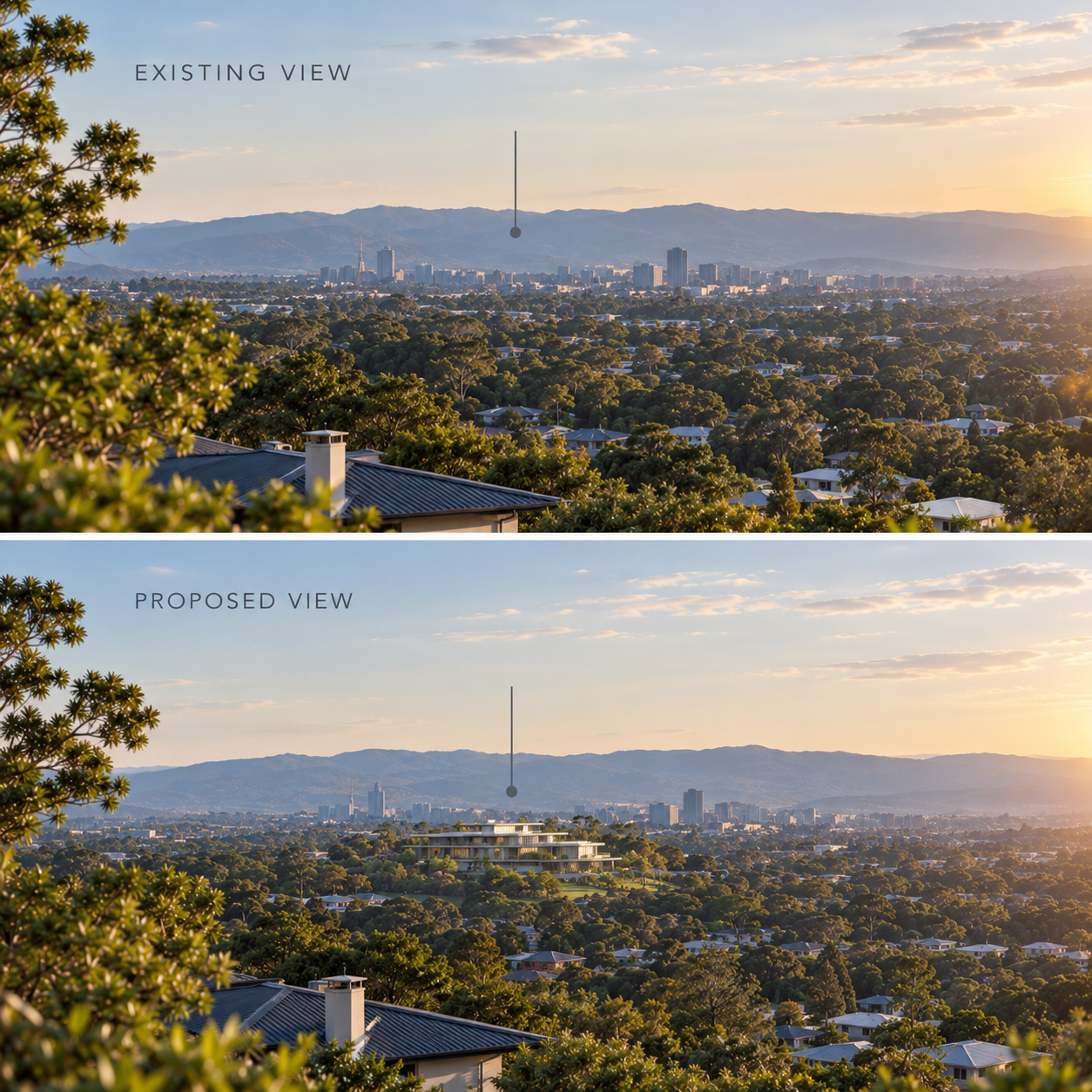
A photomontage is a visual tool that integrates a proposed development into a photograph of the existing environment, viewed from a defined assessment location.

What is a Photomontage?

A photo montage (also called a photomontage or visual simulation) is an image used in a visual impact assessment to show what a proposed development would look like once built, placed within a photograph of the real existing view. 

Assessors use montages to judge how visible a proposal is, how it changes the character of a view, and whether mitigation such as screening, colour choices or reduced height is needed. They are typically presented alongside the unaltered "existing view" and sometimes a wireline or "with mitigation" version. 


Contact Us

service@urbanfinity.com.au or 1300 429 205


What are the Uses of a Photo Montage?

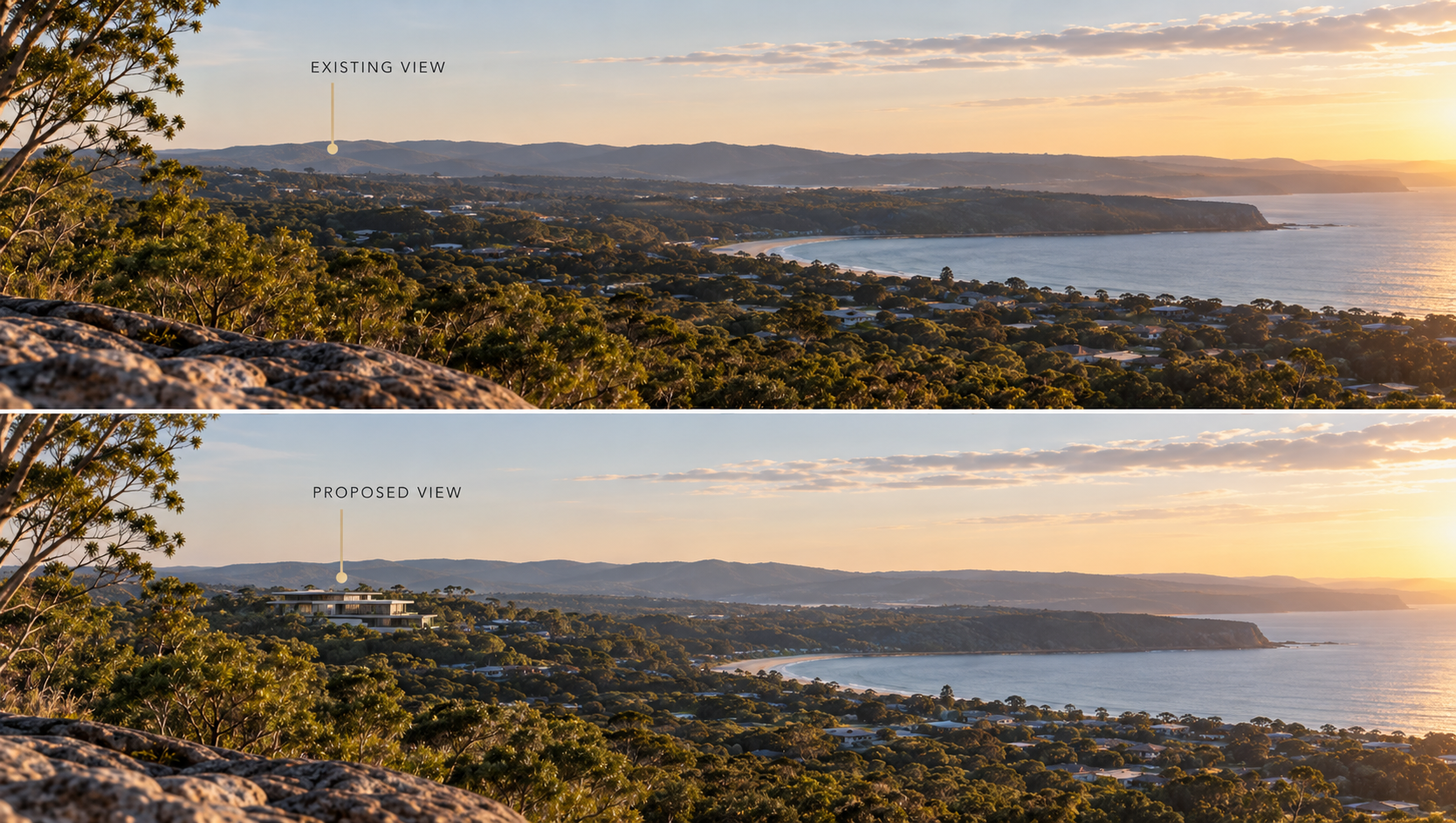
Photomontage of Existing and Proposed Coastal Views
Photomontages are commonly used to illustrate the difference between an existing view and the visual appearance of a proposed development.

A photograph is taken from a defined viewing location to document the existing conditions. Project information can then be incorporated into the photograph to represent how the proposed development may appear from that same viewpoint. This provides a visual indication of the proposal’s location, apparent scale, position and visibility, as well as its relationship with surrounding buildings, vegetation, landform and other elements within the view.

Depending on the assessment methodology, photomontage imagery can assist in understanding the type and extent of visual change that may result from a proposal when viewed from a particular location.

Step 1. Baseline photography. 

A photo is taken from a chosen viewpoint, usually with a fixed lens (often 50mm equivalent on a full-frame camera) so the perspective is predictable and comparable to what the human eye sees. The camera position, height, direction and date/time are recorded.


Step 2. Survey and 3D modelling. 

The viewpoint is located precisely (often with GPS or survey control), and a 3D model of the proposal is built using design drawings, with the correct materials, heights and positions.


Step 3. Matching the camera.

A virtual camera in the software is set up to match the real one, so the model lines up with fixed features in the photo such as buildings, poles or the horizon.

Step 4.Rendering and compositing.

The model is rendered with lighting that matches the photo's conditions, then blended into the image, with any foreground objects (trees, fences, poles) layered in front where they would hide part of the proposal.
 

photomontage


Our Clients Love Us

See what our clients have to say about us.

Had good definition, good level of detail, with a good split into sub-categories.” 3D Data “Buildings are good block models, ie no mesh faces.

Anthony BowdenBIM Manager of SMART DESIGN STUDIO
My first thought is that is a very useful tool to quickly get a base to work from. We often spend too much time trying to generate this by hand while still being pretty inaccurate.” “it’s really useful to see a 3d representation of an unknown area so quickly.
Rido PinDirector of Plus Architecture
This product was able to be supplied to me in native CAD REVIT format, will definitely use again for future projects.
Blake ThompsonThrum Architects